# Render text documents as HTML, PDF, and image files
This topic describes how to use the GroupDocs.Viewer Node.js API to convert text files to HTML, PDF, PNG, and JPEG formats.
[GroupDocs.Viewer for Node.js](https://products.groupdocs.com/viewer/nodejs-java) allows you to convert text documents to HTML, PDF, PNG, and JPEG formats so you can view document content in a web browser, PDF or image viewer application.
To start with the GroupDocs.Viewer API, create a [Viewer](#) class instance. Pass a text document you want to view to the class constructor. You can load the document from a file or stream. Call one of the [Viewer.view](#) method overloads to convert the image to HTML, PDF, PNG, or JPEG format. These methods allow you to render the entire document or specific pages.
{{< button style="primary" link="https://products.groupdocs.app/viewer/total" >}} {{< icon "gdoc_person" >}} View text files online {{< /button >}} {{< button style="primary" link="https://github.com/groupdocs-viewer/GroupDocs.Viewer-for-Node.js-via-Java" >}} {{< icon "gdoc_github" >}} View demos and examples on GitHub {{< /button >}}
## Supported text file formats
GroupDocs.Viewer supports the following text and programming file formats:
* [.AS / .AS3 (ActionScript File)](https://docs.fileformat.com/programming/as/)
* [.ASM (Assembly Language Source Code File)](https://docs.fileformat.com/programming/asm/)
* [.BAT (DOS Batch File)](https://docs.fileformat.com/executable/bat/)
* [.C (C/C++ Source Code File)](https://docs.fileformat.com/programming/c/)
* [.CC (C++ Source Code File)](https://docs.fileformat.com/programming/c/)
* [.CMAKE (CMake File)](https://docs.fileformat.com/programming/cmake/)
* [.CPP (C++ Source Code File)](https://docs.fileformat.com/programming/cpp/)
* [.CS (C# Source Code File)](https://docs.fileformat.com/specification/programming/cs/)
* [.CSS (Cascading Style Sheet)](https://docs.fileformat.com/web/css/)
* [.CXX (C++ Source Code File)](https://docs.fileformat.com/programming/cxx/)
* [.DIFF (Patch File)](https://docs.fileformat.com/programming/diff/)
* [.ERB (Ruby ERB Script)](https://docs.fileformat.com/programming/erb/)
* [.GROOVY (Groovy Source Code File)](https://docs.fileformat.com/programming/groovy/)
* [.H (C/C++/Objective-C Header File)](https://docs.fileformat.com/programming/h/)
* [.HAML (Haml Source Code File)](https://docs.fileformat.com/programming/haml/)
* [.HH (C++ Header File)](https://docs.fileformat.com/programming/hh/)
* [.JAVA (Java Source Code File)](https://docs.fileformat.com/programming/nodejs-java/)
* [.JS (JavaScript File)](https://docs.fileformat.com/web/js/)
* [.JSON (JavaScript Object Notation File)](https://docs.fileformat.com/web/json/)
* [.LESS (LESS Style Sheet)](https://docs.fileformat.com/web/less/)
* [.LOG (Log File)](https://docs.fileformat.com/database/log/)
* [.M (Objective-C Implementation File)](https://docs.fileformat.com/programming/m/)
* [.MAKE (Xcode Makefile Script)](https://docs.fileformat.com/programming/make/)
* [.MD (Markdown Documentation File)](https://docs.fileformat.com/word-processing/md/)
* [.ML (ML Source Code File)](https://docs.fileformat.com/programming/ml/)
* [.MM (Objective-C++ Source File)](https://docs.fileformat.com/programming/mm/)
* [.PHP (PHP Source Code File)](https://docs.fileformat.com/programming/php/)
* [.PL (Perl Script)](https://docs.fileformat.com/programming/pl/)
* [.PROPERTIES (Java Properties File)](https://en.wikipedia.org/wiki/.properties)
* [.PY (Python Script)](https://docs.fileformat.com/programming/py/)
* [.RB (Ruby Source Code)](https://docs.fileformat.com/ebook/rb/)
* [.RST (reStructuredText File)](https://docs.fileformat.com/programming/rst/)
* [.SASS (Syntactically Awesome StyleSheets File)](https://docs.fileformat.com/web/sass/)
* [.SCALA (Scala Source Code File)](https://docs.fileformat.com/programming/scala/)
* [.SCM (Scheme Source Code File)](https://docs.fileformat.com/programming/scm/)
* [.SCRIPT (Generic Script File)](https://docs.fileformat.com/programming/script/)
* [.SH (Bash Shell Script)](https://docs.fileformat.com/programming/sh/)
* [.SML (Standard ML Source Code File)](https://en.wikipedia.org/wiki/Standard_ML)
* [.SQL (Structured Query Language Data File)](https://docs.fileformat.com/database/sql/)
* [.TXT (Plain Text File)](https://docs.fileformat.com/word-processing/txt/)
* [.VB (Visual Basic Source Code File)](https://docs.fileformat.com/specification/programming/vb/)
* [.VIM (Vim Settings File)](https://docs.fileformat.com/misc/vim/)
* [.XML (XML File)](https://docs.fileformat.com/web/xml/)
* [.YAML (YAML Document)](https://docs.fileformat.com/programming/yaml/)
When you load a text document from a file, you should explicitly specify their format. To do this, create a [LoadOptions](#) class instance and use the [FileType](#) method. Then pass this instance to the [Viewer](#) class constructor.
{{< tabs "render-text-file-with-loadoptions">}}
{{< tab "JavaScript" >}}
```js
import { Viewer, PdfViewOptions, LoadOptions, FileType } from '@groupdocs/groupdocs.viewer';
// Specify the file encoding.
const loadOptions = new LoadOptions(FileType.MD)
// Convert the document to PDF.
const viewer = new Viewer("TermsOfService.txt", loadOptions)
const viewOptions = PdfViewOptions("render-text-file-with-loadoptions/txt-to-pdf.pdf")
viewer.view(viewOptions)
```
{{< /tab >}}
{{< tab "TermsOfService.txt" >}}
{{< tab-text >}}
`TermsOfService.txt` is the sample file used in this example. Click [here](https://docs.groupdocs.com/viewer/nodejs-java/_sample_files/rendering-basics/render-text-files/TermsOfService.txt) to download it.
{{< /tab-text >}}
{{< /tab >}}
{{< /tabs >}}
## Render text files as HTML
Create an [HtmlViewOptions](#) class instance and pass it to the [Viewer.view](#) method to convert a text file to HTML. The `HtmlViewOptions` class properties allow you to control the conversion process. For instance, you can embed all external resources in the generated HTML file, minify the output file, and optimize it for printing. Refer to the following documentation section for details: [Rendering to HTML]({{< ref "viewer/nodejs-java/developer-guide/rendering-documents/rendering-to-html/_index.md" >}}).
### Create HTML files with embedded resources
To save all elements of an HTML page (including text, graphics, and stylesheets) into a single file, call the [HtmlViewOptions.forEmbeddedResources](#) method and specify the output file name.
{{< tabs "render-text-to-html-embedded">}}
{{< tab "JavaScript" >}}
```js
import { Viewer, HtmlViewOptions } from '@groupdocs/groupdocs.viewer';
const viewer = new Viewer("TermsOfService.txt")
// Convert the text file to HTML.
// {0} is replaced with the current page number in the output file names.
const viewOptions = HtmlViewOptions.forEmbeddedResources("render-text-to-html-embedded/txt-to-html-page_{0}.html")
viewer.view(viewOptions)
```
{{< /tab >}}
{{< tab "TermsOfService.txt" >}}
{{< tab-text >}}
`TermsOfService.txt` is the sample file used in this example. Click [here](https://docs.groupdocs.com/viewer/nodejs-java/_sample_files/rendering-basics/render-text-files/TermsOfService.txt) to download it.
{{< /tab-text >}}
{{< /tab >}}
{{< /tabs >}}
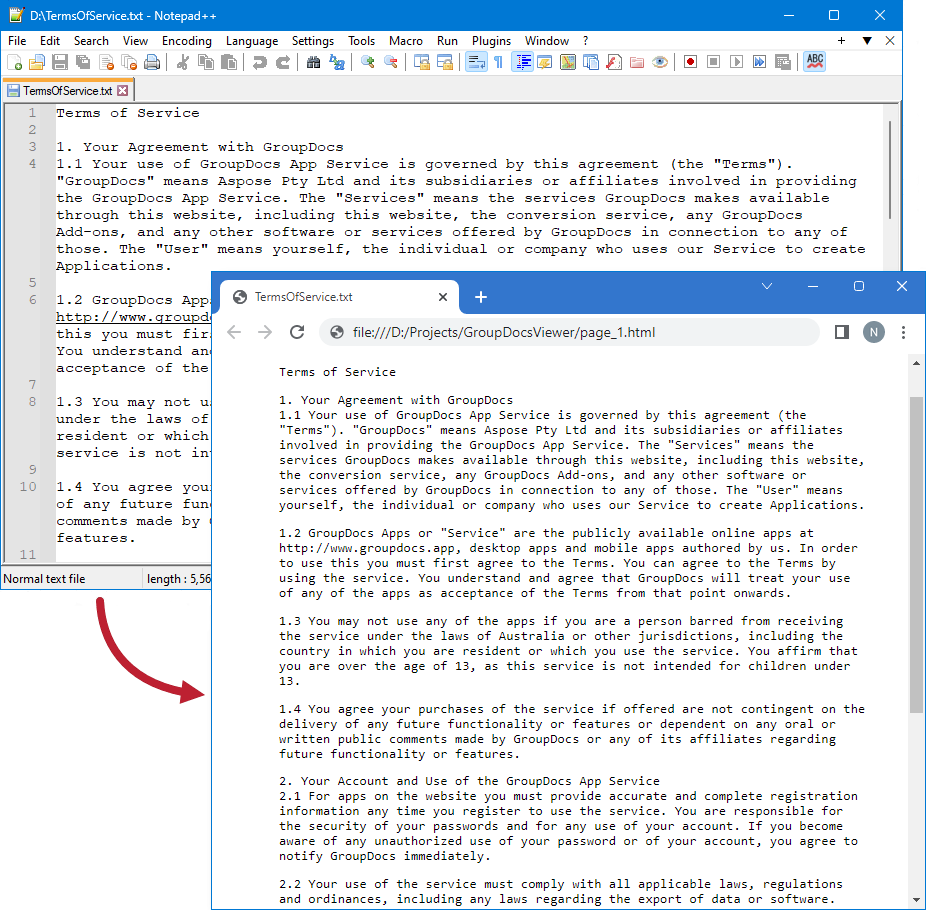
The following image demonstrates the result:
### Create HTML files with external resources
If you want to store output HTML files and additional resource files (such as fonts, images, and style sheets) separately, call the [HtmlViewOptions.forExternalResources](#) method and pass the following parameters:
* The output file path format
* The path format for the folder with external resources
* The resource URL format
{{< tabs "render-text-to-html-external">}}
{{< tab "JavaScript" >}}
```js
import { Viewer, HtmlViewOptions } from '@groupdocs/groupdocs.viewer';
const viewer = new Viewer("TermsOfService.txt")
// Create an HTML file for each PDF page.
// Specify the HTML file names and location of external resources.
// {0} and {1} are replaced with the current page number and resource name, respectively.
const viewOptions = HtmlViewOptions.forExternalResources("render-text-to-html-external/txt-to-html-page_{0}.html", "render-text-to-html-external/txt-to-html-page_{0}/resource_{0}_{1}", "render-text-to-html-external/txt-to-html-page_{0}/resource_{0}_{1}")
viewer.view(viewOptions)
```
{{< /tab >}}
{{< tab "TermsOfService.txt" >}}
{{< tab-text >}}
`TermsOfService.txt` is the sample file used in this example. Click [here](https://docs.groupdocs.com/viewer/nodejs-java/_sample_files/rendering-basics/render-text-files/TermsOfService.txt) to download it.
{{< /tab-text >}}
{{< /tab >}}
{{< /tabs >}}
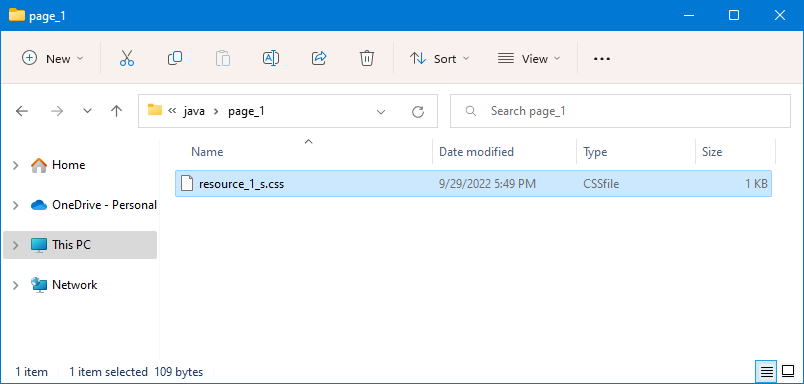
The image below demonstrates the result. External resources are placed in a separate folder.
### Create a single HTML page
If you need to display the entire document content on a single HTML page, use the [HtmlViewOptions.setRenderToSinglePage](#) method, as shown below:
{{< tabs "render-text-to-single-html-page">}}
{{< tab "JavaScript" >}}
```js
import { Viewer, HtmlViewOptions } from '@groupdocs/groupdocs.viewer';
const viewer = new Viewer("TermsOfService.txt")
// Create an HTML file.
const viewOptions = HtmlViewOptions.forEmbeddedResources("render-text-to-single-html-page/txt-to-html.html")
// Render the file to a single page.
viewOptions.setRenderToSinglePage(true)
viewer.view(viewOptions)
```
{{< /tab >}}
{{< tab "TermsOfService.txt" >}}
{{< tab-text >}}
`TermsOfService.txt` is the sample file used in this example. Click [here](https://docs.groupdocs.com/viewer/nodejs-java/_sample_files/rendering-basics/render-text-files/TermsOfService.txt) to download it.
{{< /tab-text >}}
{{< /tab >}}
{{< /tabs >}}
## Render text files as PDF
Create a [PdfViewOptions](#) class instance and pass it to the [Viewer.view](#) method to convert a text file to PDF. The `PdfViewOptions` class properties allow you to control the conversion process. For instance, you can protect the output PDF file, reorder its pages, and specify the quality of document images. Refer to the following documentation section for details: [Rendering to PDF]({{< ref "viewer/nodejs-java/developer-guide/rendering-documents/rendering-to-pdf/_index.md" >}}).
{{< tabs "render-text-to-pdf">}}
{{< tab "JavaScript" >}}
```js
import { Viewer, PdfViewOptions } from '@groupdocs/groupdocs.viewer';
const viewer = new Viewer("TermsOfService.txt")
// Convert the text file to PDF.
const viewOptions = PdfViewOptions("render-text-to-pdf/txt-to-pdf.pdf")
viewer.view(viewOptions)
```
{{< /tab >}}
{{< tab "TermsOfService.txt" >}}
{{< tab-text >}}
`TermsOfService.txt` is the sample file used in this example. Click [here](https://docs.groupdocs.com/viewer/nodejs-java/_sample_files/rendering-basics/render-text-files/TermsOfService.txt) to download it.
{{< /tab-text >}}
{{< /tab >}}
{{< /tabs >}}
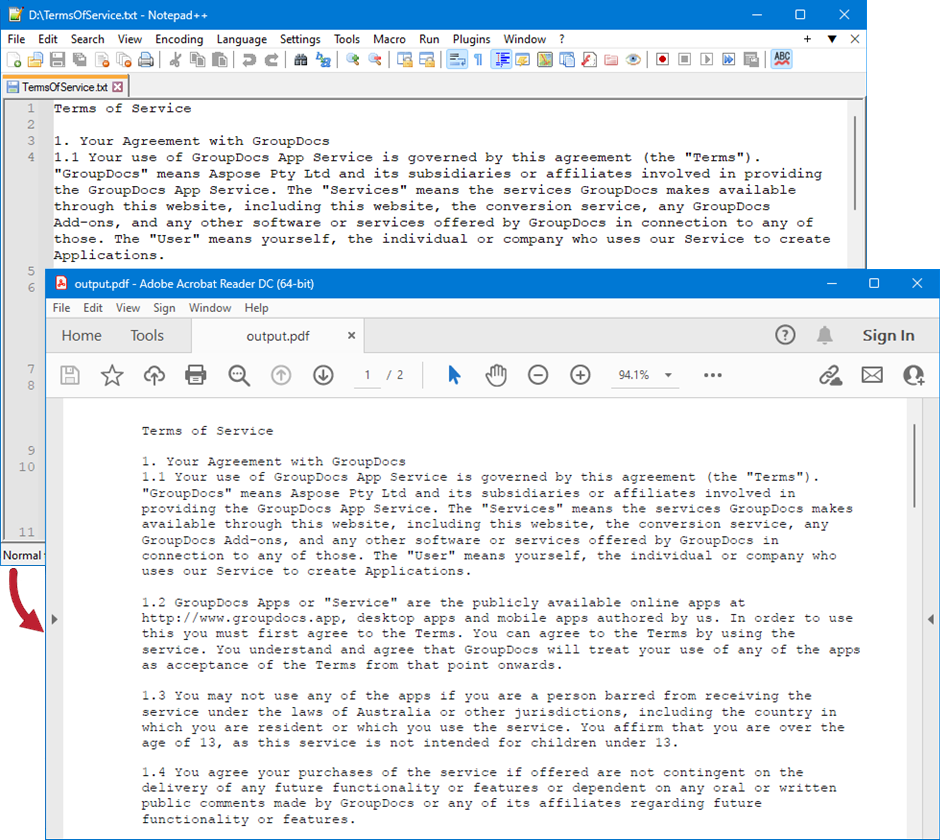
The following image demonstrates the result:
## Render text files as PNG
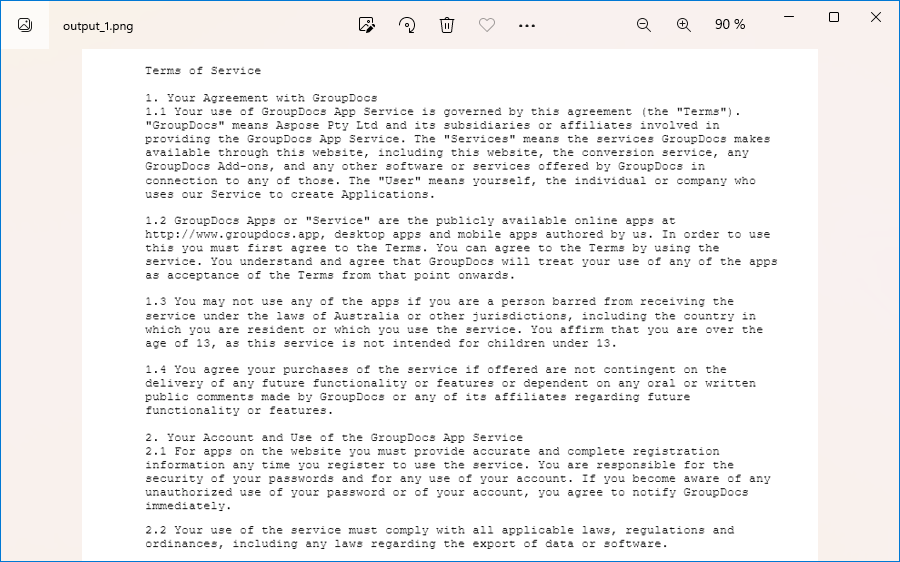
Create a [PngViewOptions](#) class instance and pass it to the [Viewer.view](#) method to convert a text file to PNG. Use the [PngViewOptions.setHeight](#) and [PngViewOptions.setWidth](#) methods to specify the output image size in pixels.
{{< tabs "render-text-to-png">}}
{{< tab "JavaScript" >}}
```js
import { Viewer, PngViewOptions } from '@groupdocs/groupdocs.viewer';
const viewer = new Viewer("TermsOfService.txt")
// Convert the text file to PNG.
// {0} is replaced with the current page number in the output image names.
const viewOptions = PngViewOptions("render-text-to-png/txt-to-png-page_{0}.png")
// Set width and height.
viewOptions.setWidth(950)
viewOptions.setHeight(550)
viewer.view(viewOptions)
```
{{< /tab >}}
{{< tab "TermsOfService.txt" >}}
{{< tab-text >}}
`TermsOfService.txt` is the sample file used in this example. Click [here](https://docs.groupdocs.com/viewer/nodejs-java/_sample_files/rendering-basics/render-text-files/TermsOfService.txt) to download it.
{{< /tab-text >}}
{{< /tab >}}
{{< /tabs >}}
The following image demonstrates the result:
## Render text files as JPEG
Create a [JpgViewOptions](#) class instance and pass it to the [Viewer.view](#) method to convert a text file to JPEG. Use the [JpgViewOptions.setHeight](#) and [JpgViewOptions.setWidth](#) methods to specify the output image size in pixels.
{{< tabs "render-text-to-jpeg">}}
{{< tab "JavaScript" >}}
```js
import { Viewer, JpgViewOptions } from '@groupdocs/groupdocs.viewer';
const viewer = new Viewer("TermsOfService.txt")
// Convert the text file to JPEG.
// {0} is replaced with the current page number in the output image names.
const viewOptions = JpgViewOptions("render-text-to-jpeg/txt-to-jpg-page_{0}.jpg")
// Set width and height.
viewOptions.setWidth(950)
viewOptions.setHeight(550)
viewer.view(viewOptions)
```
{{< /tab >}}
{{< tab "TermsOfService.txt" >}}
{{< tab-text >}}
`TermsOfService.txt` is the sample file used in this example. Click [here](https://docs.groupdocs.com/viewer/nodejs-java/_sample_files/rendering-basics/render-text-files/TermsOfService.txt) to download it.
{{< /tab-text >}}
{{< /tab >}}
{{< /tabs >}}
## Specify rendering options
GroupDocs.Viewer supports the [TextOptions](#) class that allows you to specify different options for rendering text files. To access these options, use the [setTextOptions](#) method for one of the following classes (depending on the output file format):
* [HtmlViewOptions](#)
* [PdfViewOptions](#)
* [PngViewOptions](#)
* [JpgViewOptions](#)
The `TextOptions` class supports the following methods:
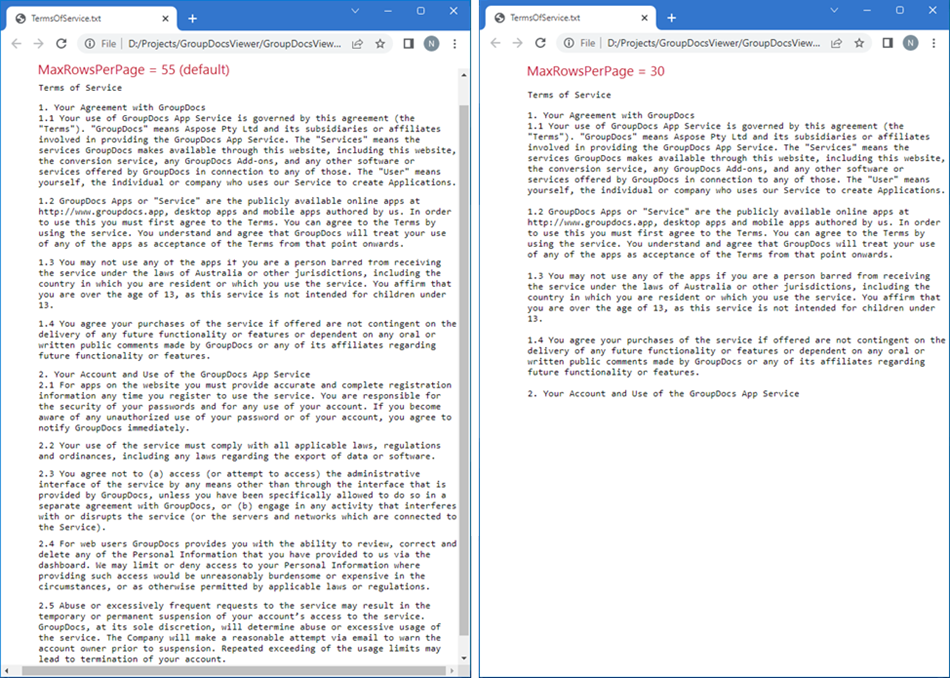
* [setMaxRowsPerPage](#)---Specifies the maximum number of rows per page. The default value is **55**.
* [setMaxCharsPerRow](#)---Specifies the maximum number of characters per row. The default value is **85**.
The following example demonstrates how to change the number of rows displayed on each HTML page:
{{< tabs "render-text-with-max-rows-per-page">}}
{{< tab "JavaScript" >}}
```js
import { Viewer, HtmlViewOptions } from '@groupdocs/groupdocs.viewer';
const viewer = new Viewer("TermsOfService.txt")
// Convert the text file to HTML.
// {0} is replaced with the current page number in the output file names.
const viewOptions = HtmlViewOptions.forEmbeddedResources("render-text-with-max-rows-per-page/txt-to-html-page_{0}.html")
// Set the maximum number of rows per page.
viewOptions.getTextOptions().setMaxRowsPerPage(30)
viewer.view(viewOptions)
```
{{< /tab >}}
{{< tab "TermsOfService.txt" >}}
{{< tab-text >}}
`TermsOfService.txt` is the sample file used in this example. Click [here](https://docs.groupdocs.com/viewer/nodejs-java/_sample_files/rendering-basics/render-text-files/TermsOfService.txt) to download it.
{{< /tab-text >}}
{{< /tab >}}
{{< /tabs >}}
The image below illustrates the result: