Specify encoding when loading documents Leave feedback
This feature is supported for the following file types:
- Plain-text (.txt) files
- Comma-separated values (.csv)
- Tab-separated values (.tsv)
- E-Mail Message (.eml)
Different encodings use different byte sequences for characters, and opening a file in the wrong encoding leads to incorrect character rendering. To properly render a file, the correct encoding must be specified when opening the file. Another option is converting it to UTF-8 beforehand. By default GroupDocs.Viewer using UTF-8 encoding.
For examle, when you try to open sample-shift-jis.txt file in Notepad the text これはShift_JISエンコード用のサンプルテキストです。 will appear as strange symbols because ANSI is misinterpreting the byte values that are specific to Shift_JIS.
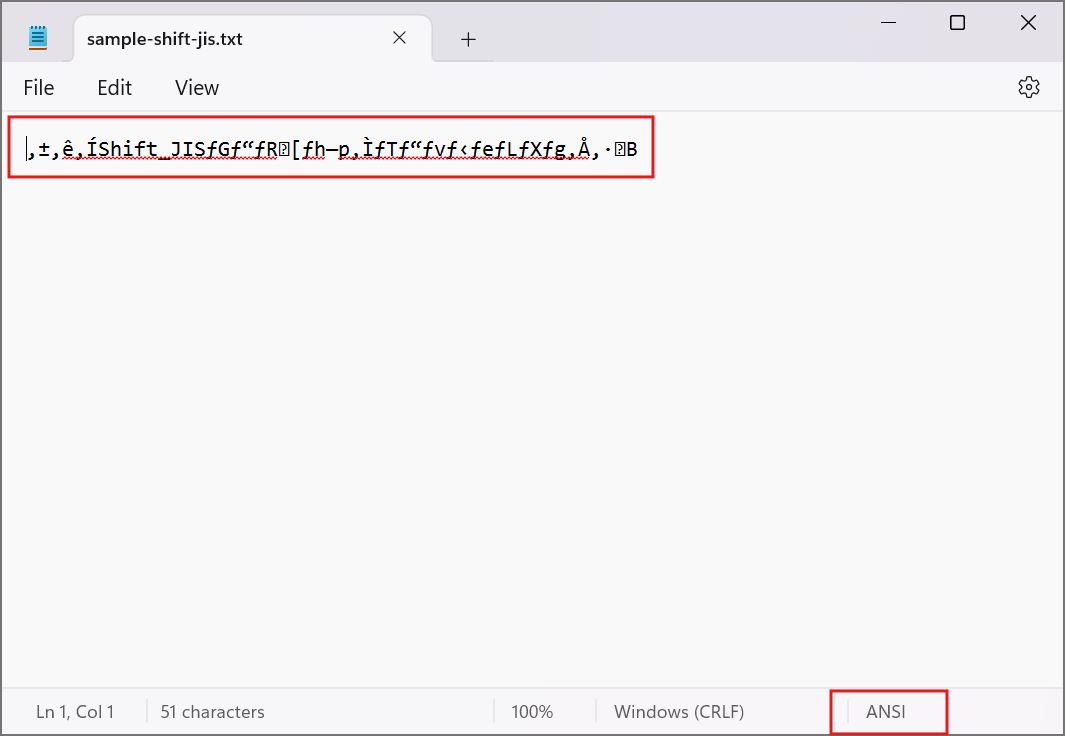
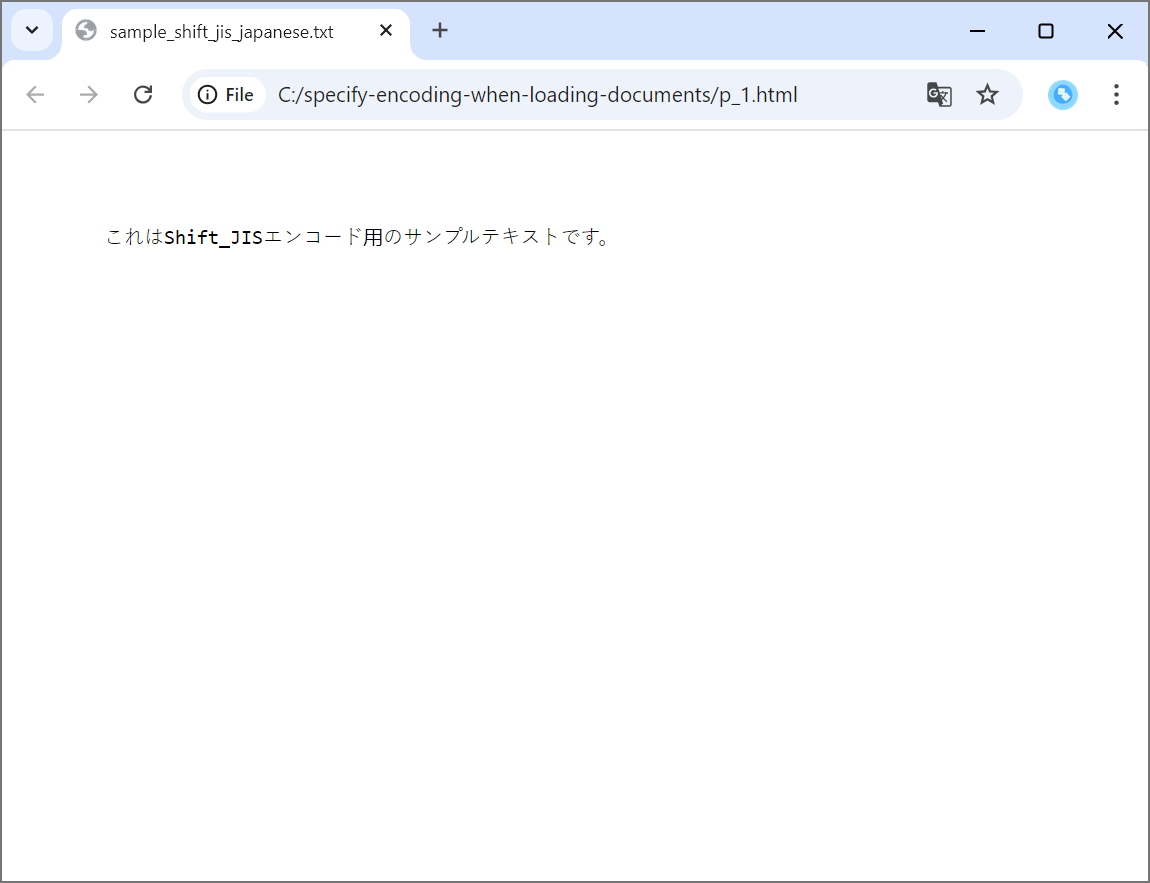
To render text file properly you can set charset using LoadOptions class. In the following code snippet we’ll set Shift_JIS charset and render the text file to HTML:
import com.groupdocs.viewer.Viewer;
import com.groupdocs.viewer.options.HtmlViewOptions;
import com.groupdocs.viewer.options.LoadOptions;

import java.nio.charset.Charset;

// ...

// Specify charset.
LoadOptions loadOptions = new LoadOptions();
loadOptions.setCharset(Charset.forName("Shift_JIS"));

// Render a file.
try (Viewer viewer = new Viewer("sample-shift-jis.txt", loadOptions)) {
    HtmlViewOptions viewOptions = HtmlViewOptions.forEmbeddedResources();
    viewer.view(viewOptions);
}
sample-shift-jis.txt is sample TXT file that is used in this example. Click here to download it.
The following image demonstrates the result:
Was this page helpful?
Any additional feedback you'd like to share with us?
Please tell us how we can improve this page.
Thank you for your feedback!
We value your opinion. Your feedback will help us improve our documentation.
