Get the PDF output file information Leave feedback
You can get the information about the PDF output file using the getViewInfo method that returns a ViewInfo object. The object contains the Pages collection that represents each Page of the document.
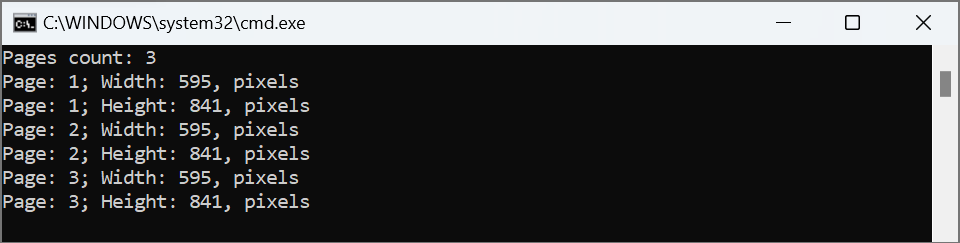
The following code snippet shows how to get the page count and the width and height of each document page:
try (Viewer viewer = new Viewer("sample.pdf")) {
    // Get file information.
    ViewInfoOptions viewInfoOptions = ViewInfoOptions.forPdfView();
    ViewInfo viewInfo = viewer.getViewInfo(viewInfoOptions);

    // Display page count.
    System.out.println("Pages count: " + viewInfo.getPages().size());

    // Display width and height of each page
    for (Page page : viewInfo.getPages()) {
        System.out.println("Page: " + page.getNumber() + "; Width: " + page.getWidth() + ", pixels");
        System.out.println("Page: " + page.getNumber() + "; Height: " + page.getHeight() + ", pixels");
    }
}
The following image shows a sample console output:
Was this page helpful?
Any additional feedback you'd like to share with us?
Please tell us how we can improve this page.
Thank you for your feedback!
We value your opinion. Your feedback will help us improve our documentation.
