# eSign Document with QR Code Signature
This article explains how to sign documents with electronic signature as QR code on document page with GroupDocs.Signature for Python via .NET API.
## What is a QR Code?
QR code (or Quick Response code) is a sort of two-dimensional [barcode]({{< ref "signature/python-net/developer-guide/basic-usage/electronic-signature-types/esign-document-with-barcode-signature.md" >}}) that consists of black squares arranged in a square grid on a white background. QR codes can be read by smartphone cameras or specialized devices that are dedicated to QR reading - hand-held scanners, handy terminals, desktop scanners, embedded scanners, and so on. Usually QR codes contain data that points to a website or application, emails, or phone numbers, product identifiers, or trackers. Therefore, the scope of QR code applications extends from general marketing and item identification to document management.
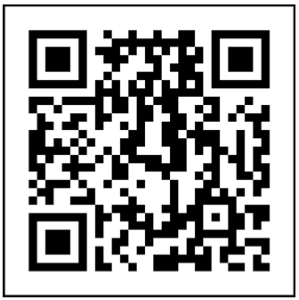
## How to eSign Document with QR-Code Signature
[**GroupDocs.Signature for Python via .NET**](https://products.groupdocs.com/signature/python-net) can sign the documents with QR codes of the following types.
| |Aztec code | DataMatrix code | GS1 DataMatrix | GS1 QR code | QR |
| --- | --- | --- | --- | --- | --- |
| **Application** | * transport and ticketing;
* in airline industry for electronic boarding passes;
* in rail for tickets sold online and printed out by customers or displayed on mobile phone screens. Code is scanned by a handheld scanner by on-train staff or at the turnstile to validate the ticket.
* medicine - patient identification wristbands and labels for unit-of-use medications etc. | * printed media such as labels and letters;
* industrial engineering purposes - marking components etc;
* food industry - to prevent food products being packaged and dated incorrectly; | Used in
* Healthcare;
* Government;
* Industrial.
Encodes item additional information, such as:
* weight;
* expiration date;
* batch number;
* date of manufacture;
* etc.| Used in marketing to encode additional item information on the package | Widely used in automotive industry and mobile applications. Useful for encoding large amount of data characters and specific URLs.|
| **Length** | 3067 alphanumeric,
3832 numeric,
1914 bytes | 2335 alphanumeric,
3116 numeric | 2335 alphanumeric,
3116 numeric,
1556 bytes | 7089 alphanumeric,
4296 numeric,
2953 bytes | 4296 alphanumeric,
7089 numeric,
2953 bytes |
| **Example** | 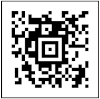 | 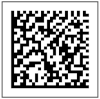 | 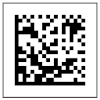 | 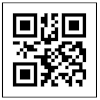 | 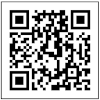
When adding QR code electronic signature to a document, the main settings are the text to be encoded and the [type of the QR code](https://reference.groupdocs.com/signature/python-net/groupdocs.signature.domain/qrcodetypes/#fields) which should be specified via the [QrCodeSignOptions](https://reference.groupdocs.com/signature/python-net/groupdocs.signature.options/qrcodesignoptions) class.
Here are the steps to eSign a document with the QR code signature:
* Create a new instance of the [Signature](https://reference.groupdocs.com/signature/python-net/groupdocs.signature/signature) class and pass the source document path as a constructor parameter.
* Instantiate the [QrCodeSignOptions](https://reference.groupdocs.com/signature/python-net/groupdocs.signature.options/qrcodesignoptions) object according to your requirements and specify the [encode_type](https://reference.groupdocs.com/signature/python-net/groupdocs.signature.options/qrcodesignoptions/encode_type) and [text](https://reference.groupdocs.com/signature/python-net/groupdocs.signature.options/textsignoptions/text) properties.
* Call the [sign](https://reference.groupdocs.com/signature/python-net/groupdocs.signature/signature/sign/) method of the [Signature](https://reference.groupdocs.com/signature/python-net/groupdocs.signature/signature) class instance and pass the [QrCodeSignOptions](https://reference.groupdocs.com/signature/python-net/groupdocs.signature.options/qrcodesignoptions) to it.
The code snippet below demonstrates how to sign a PDF document with the QR code signature using Python:
{{< tabs "sign_with_qr_code_signature" >}}
{{< tab "Python" >}}
```python
from groupdocs.signature import Signature
from groupdocs.signature.options import QrCodeSignOptions
from groupdocs.signature.domain import QrCodeTypes
def sign_with_qr_code_signature():
with Signature("sample.pdf") as signature:
# Create QR code signature options with the text to encode
options = QrCodeSignOptions("John Smith")
# Set the QR code type
options.encode_type = QrCodeTypes.QR
# Set QR code position and size
options.left = 100
options.top = 400
options.width = 100
options.height = 100
# Sign the document and save the result
result = signature.sign("signed_qr_code.pdf", options)
print(f"Signed with {len(result.succeeded)} QR code signature(s)")
if __name__ == "__main__":
sign_with_qr_code_signature()
```
{{< /tab >}}
{{< tab "sample.pdf" >}}
{{< tab-text >}}
`sample.pdf` is the sample file used in this example. Click [here](https://docs.groupdocs.com/signature/python-net/_sample_files/developer-guide/basic-usage/electronic-signature-types/esign-document-with-qr-code-signature/sample.pdf) to download it.
{{< /tab-text >}}
{{< /tab >}}
{{< tab "signed_qr_code.pdf" >}}
```text
Binary file (PDF, 57 KB)
```
[Download full output](https://docs.groupdocs.com/signature/python-net/_output_files/developer-guide/basic-usage/electronic-signature-types/esign-document-with-qr-code-signature/sign_with_qr_code_signature/signed_qr_code.pdf)
{{< /tab >}}
{{< /tabs >}}
The other QR code types from the table above are set the same way, for example `QrCodeTypes.AZTEC` or `QrCodeTypes.DATA_MATRIX`.
### Advanced QR Code Options
Here's an example showing how to create a more complex QR code signature with additional customization: alignment and margins, module color, background and border:
{{< tabs "sign_with_qr_code_signature_advanced" >}}
{{< tab "Python" >}}
```python
from groupdocs.signature import Signature
from groupdocs.signature.options import QrCodeSignOptions
from groupdocs.signature.domain import (
Background, Border, DashStyle, HorizontalAlignment, Padding,
QrCodeTypes, VerticalAlignment)
from groupdocs.pydrawing import Color
def sign_with_qr_code_signature_advanced():
with Signature("sample.pdf") as signature:
# Pass the text and the QR code type to the constructor
options = QrCodeSignOptions("https://www.example.com/verify-document", QrCodeTypes.QR)
# Put the QR code in the bottom right corner of the page
options.width = 120
options.height = 120
options.horizontal_alignment = HorizontalAlignment.RIGHT
options.vertical_alignment = VerticalAlignment.BOTTOM
options.margin = Padding(right=40, bottom=60)
# Module color, background, and a dotted border with some space inside
options.fore_color = Color.dark_blue
background = Background()
background.color = Color.light_yellow
options.background = background
border = Border()
border.color = Color.dark_blue
border.dash_style = DashStyle.DOT
border.weight = 2
border.visible = True
options.border = border
options.inner_margins = Padding(4)
result = signature.sign("signed_qr_code_advanced.pdf", options)
print(f"Signed with {len(result.succeeded)} QR code signature(s)")
if __name__ == "__main__":
sign_with_qr_code_signature_advanced()
```
{{< /tab >}}
{{< tab "sample.pdf" >}}
{{< tab-text >}}
`sample.pdf` is the sample file used in this example. Click [here](https://docs.groupdocs.com/signature/python-net/_sample_files/developer-guide/basic-usage/electronic-signature-types/esign-document-with-qr-code-signature/sample.pdf) to download it.
{{< /tab-text >}}
{{< /tab >}}
{{< tab "signed_qr_code_advanced.pdf" >}}
```text
Binary file (PDF, 102 KB)
```
[Download full output](https://docs.groupdocs.com/signature/python-net/_output_files/developer-guide/basic-usage/electronic-signature-types/esign-document-with-qr-code-signature/sign_with_qr_code_signature_advanced/signed_qr_code_advanced.pdf)
{{< /tab >}}
{{< /tabs >}}
### Summary
This guide demonstrates how to add QR code signatures to documents using [**GroupDocs.Signature for Python via .NET**](https://products.groupdocs.com/signature/python-net). It includes steps for generating a QR code signature, configuring its properties like size and encoding, and applying it to a document. QR code signatures can be used for quick verification of the signed document.
## More Resources
### GitHub Examples
You may easily run the code above and see the feature in action in our GitHub examples:
* [GroupDocs.Signature for Python via .NET examples](https://github.com/groupdocs-signature/GroupDocs.Signature-for-Python-via-.NET)
### Free Online Apps
Along with the full-featured Python library, we provide simple but powerful free online apps.
To generate QR codes and/or sign your files with QR codes for free, you can use the [QR Code Generator](https://products.groupdocs.app/signature/generate/qrcode) online app.
To sign PDF, Word, Excel, PowerPoint, and other documents you can use the other online apps from the **[GroupDocs.Signature App Product Family](https://products.groupdocs.app/signature/family)**.