# eSign document with QR code signature
This article explains how sign documents with electronic signature as QR code on document page with GroupDocs.Signature API.
## What is a QR code?
QR code (or Quick Response code) is a sort of two-dimensional [barcode]({{< ref "signature/nodejs-java/developer-guide/basic-usage/electronic-signature-types/esign-document-with-barcode-signature.md" >}}) that consists of black squares arranged in a square grid on a white background. QR codes can be read by smartphone cameras or specialized devices that are dedicated to QR reading - hand-held scanners, handy terminals, desktop scanners, embedded scanners, and so on. Usually QR codes contain data that points to a website or application, emails, or phone numbers, product identifiers, or trackers. Therefore, the scope of QR code applications extends from general marketing and item identification to document management.
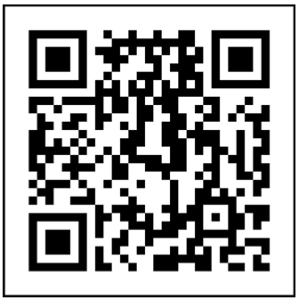
## How to eSign document with QR-Code signature
[**GroupDocs.Signature**](https://products.groupdocs.com/signature/nodejs-java) can sign the documents with QR codes of the following types.
| |Aztec code | DataMatrix code | GS1 DataMatrix | GS1 QR code | QR |
| --- | --- | --- | --- | --- | --- |
| **Application** | * transport and ticketing;
* in airline industry for electronic boarding passes;
* in rail for tickets sold online and printed out by customers or displayed on mobile phone screens. Code is scanned by a handheld scanner by on-train staff or at the turnstile to validate the ticket.
* medicine - patient identification wristbands and labels for unit-of-use medications etc. | * printed media such as labels and letters;
* industrial engineering purposes - marking components etc;
* food industry - to prevent food products being packaged and dated incorrectly; | Used in
* Healthcare;
* Government;
* Industrial.
Encodes item additional information, such as:
* weight;
* expiration date;
* batch number;
* date of manufacture;
* etc.| Used in marketing to encode additional item information on the package | Widely used in automotive industry and mobile applications. Useful for encoding large amount of data characters and specific URLs.|
| **Length** | 3067 alphanumeric,
3832 numeric,
1914 bytes | 2335 alphanumeric,
3116 numeric | 2335 alphanumeric,
3116 numeric,
1556 bytes | 7089 alphanumeric,
4296 numeric,
2953 bytes | 4296 alphanumeric,
7089 numeric,
2953 bytes |
| **Example** | 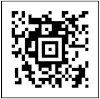 | 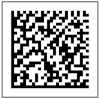 | 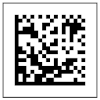 | 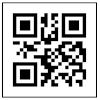 | 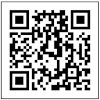
When adding QR code electronic signature to a document, the main settings are the text to be encoded and the [type of the QR code](https://reference.groupdocs.com/signature/nodejs-java/com.groupdocs.signature.domain/qrcodetypes/#fields) which should be specified via the [QrCodeSignOptions](https://reference.groupdocs.com/signature/nodejs-java/com.groupdocs.signature.options/qrcodesignoptions) class.
Here are the steps to eSign a document with the QR code signature:
Here is the corrected text with accurate links:
---
* Create a new instance of the [Signature](https://reference.groupdocs.com/signature/nodejs-java/com.groupdocs.signature/signature) class and pass the source document path as a constructor parameter.
* Instantiate the [QrCodeSignOptions](https://reference.groupdocs.com/signature/nodejs-java/com.groupdocs.signature.options/qrcodesignoptions) object according to your requirements and specify the [EncodeType](https://reference.groupdocs.com/signature/nodejs-java/com.groupdocs.signature.options/qrcodesignoptions/encodetype) and the [Text](https://reference.groupdocs.com/signature/nodejs-java/com.groupdocs.signature.options/textsignoptions/text) properties.
* Call the [Sign](https://reference.groupdocs.com/signature/nodejs-java/com.groupdocs.signature/signature/sign) method of the [Signature](https://reference.groupdocs.com/signature/nodejs-java/com.groupdocs.signature/signature) class instance and pass the [QrCodeSignOptions](https://reference.groupdocs.com/signature/nodejs-java/com.groupdocs.signature.options/qrcodesignoptions) to it.
The code snippet below demonstrates how to sign a PDF document with the QR code signature.
```javascript
// The path to the documents directory.
const filePath = Constants.SAMPLE_PDF; // Assuming Constants.SAMPLE_PDF is defined elsewhere
const fileName = path.basename(filePath);
const outputFilePath = path.join(Constants.OutputPath, 'SignWithQRCode', fileName);
const signature = new signatureLib.Signature(filePath);
// Create QR code sign options
const options = new signatureLib.QrCodeSignOptions('JohnSmith');
// Setup QR code encoding type
options.setEncodeType(signatureLib.QrCodeTypes.QR);
// Set signature position
options.setLeft(100);
options.setTop(100);
// Sign document to file
signature.sign(outputFilePath, options);
console.log(`\nSource document signed successfully.\nFile saved at ${outputFilePath}`);
```
### Summary
This guide demonstrates how to add QR code signatures to documents using [**GroupDocs.Signature**](https://products.groupdocs.com/signature/nodejs-java) . It includes steps for generating a QR code signature, configuring its properties like size and encoding, and applying it to a document. QR code signatures can be used for quick verification of the signed document.
## More resources
### GitHub Examples
You may easily run the code above and see the feature in action in our GitHub examples:
* [GroupDocs.Signature for .NET examples, plugins, and showcase](https://github.com/groupdocs-signature/GroupDocs.Signature-for-.NET)
* [GroupDocs.Signature Node.Js for Java examples, plugins, and showcase](https://github.com/groupdocs-signature/GroupDocs.Signature-for-Java)
* [Document Signature for .NET MVC UI Example](https://github.com/groupdocs-signature/GroupDocs.Signature-for-.NET-MVC)
* [Document Signature for .NET App WebForms UI Example](https://github.com/groupdocs-signature/GroupDocs.Signature-for-.NET-WebForms)
* [Document Signature for Java App Dropwizard UI Example](https://github.com/groupdocs-signature/GroupDocs.Signature-for-Java-Dropwizard)
* [Document Signature for Java Spring UI Example](https://github.com/groupdocs-signature/GroupDocs.Signature-for-Java-Spring)
### Free Online Apps
Along with the full-featured .NET library, we provide simple but powerful free online apps.
To generate QR codes and/or sign your files with QR codes for free, you can use the [QR Code Generator](https://products.groupdocs.app/signature/generate/qrcode) online app.
To sign PDF, Word, Excel, PowerPoint, and other documents you can use the other online apps from the **[GroupDocs.Signature App Product Family](https://products.groupdocs.app/signature/family)**.