Use Tesseract OCR Leave feedback
On this page
Tesseract is an open-source OCR engine, and pytesseract calls it from Python. This page builds an OCR connector on them (see OCR usage basics for what a connector is).
Install the Tesseract program, then the two Python packages:
sudo apt-get install tesseract-ocr
pip install pytesseract pillow
brew install tesseract
pip install pytesseract pillow
winget install UB-Mannheim.TesseractOCR
pip install pytesseract pillow
Add the Tesseract folder (C:\Program Files\Tesseract-OCR) to PATH, or set pytesseract.pytesseract.tesseract_cmd to the full path of tesseract.exe.
pytesseract.image_to_data() returns every word it recognized with its position and the block, paragraph and line it belongs to. The connector joins the words of each line into one TextFragment whose rectangle covers the line:
import io

import pytesseract
from PIL import Image

from groupdocs.redaction import Redactor
from groupdocs.redaction.integration.ocr import RecognizedImage, TextFragment, TextLine
from groupdocs.redaction.options import LoadOptions, RedactorSettings, SaveOptions
from groupdocs.redaction.options.drawing import Color, Rectangle
from groupdocs.redaction.redactions import ExactPhraseRedaction, ReplacementOptions


class TesseractOcrConnector(object):
    """Recognizes text with Tesseract and reports each line as one fragment."""

    def recognize(self, image_stream):
        image = Image.open(io.BytesIO(image_stream.read()))
        data = pytesseract.image_to_data(image, output_type=pytesseract.Output.DICT)
        lines = {}
        order = []
        for i, word in enumerate(data["text"]):
            if not word.strip():
                continue
            key = (data["block_num"][i], data["par_num"][i], data["line_num"][i])
            if key not in lines:
                lines[key] = []
                order.append(key)
            lines[key].append(i)
        if not order:
            return None
        recognized = []
        for key in order:
            words = lines[key]
            left = min(data["left"][i] for i in words)
            top = min(data["top"][i] for i in words)
            right = max(data["left"][i] + data["width"][i] for i in words)
            bottom = max(data["top"][i] + data["height"][i] for i in words)
            text = " ".join(data["text"][i] for i in words)
            rectangle = Rectangle(left, top, right - left, bottom - top)
            recognized.append(TextLine([TextFragment(text, rectangle)]))
        return RecognizedImage(recognized)


def use_tesseract_ocr():
    settings = RedactorSettings(TesseractOcrConnector())
    with Redactor("./scan.png", LoadOptions(), settings) as redactor:
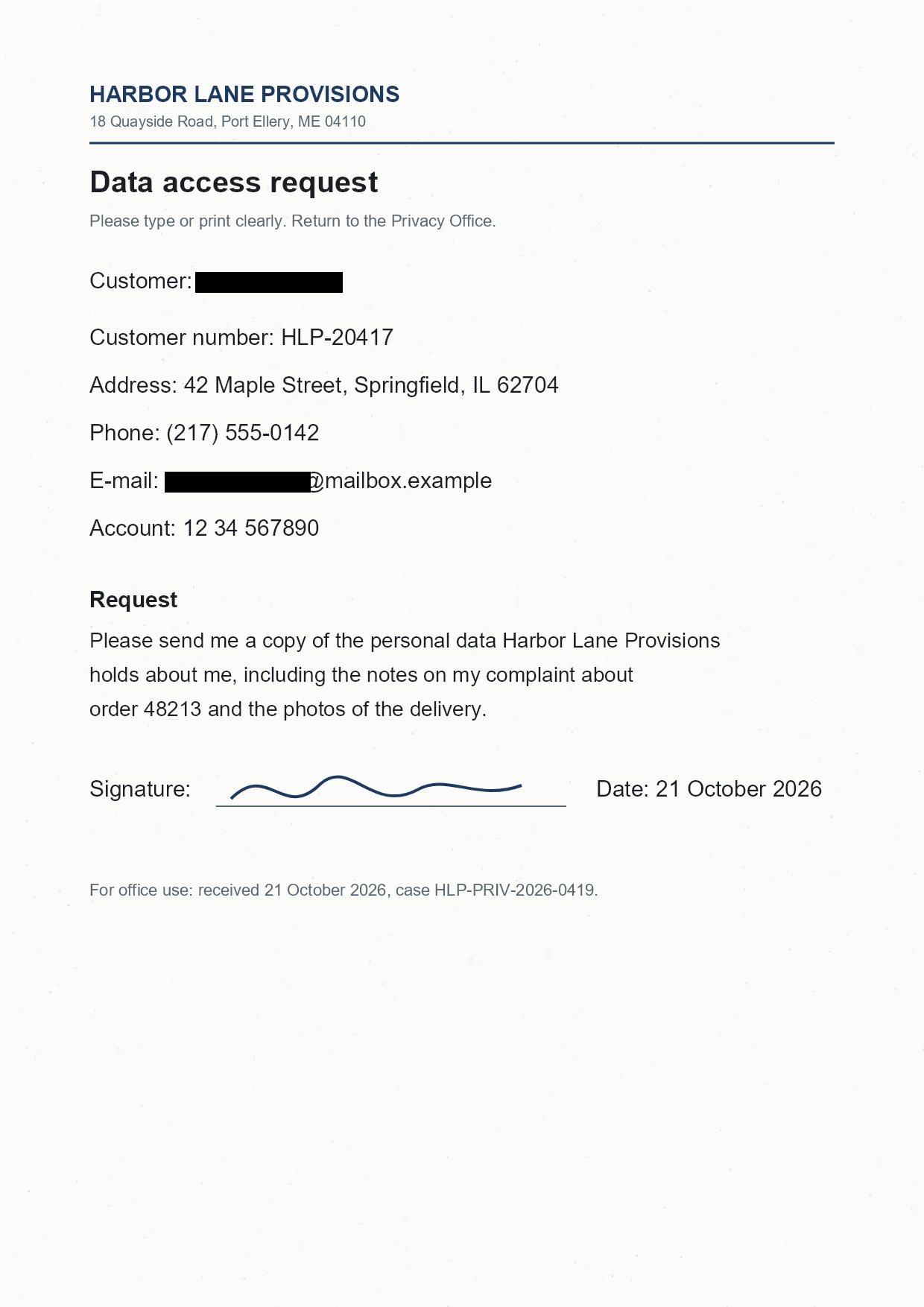
        result = redactor.apply(ExactPhraseRedaction("Emily Johnson", ReplacementOptions(Color.black)))
        print("Status: " + result.status.name)

        options = SaveOptions()
        options.add_suffix = True
        options.rasterize_to_pdf = False  # keep the PNG format
        result_path = redactor.save(options)
        print("Output saved to " + result_path)


if __name__ == "__main__":
    use_tesseract_ocr()
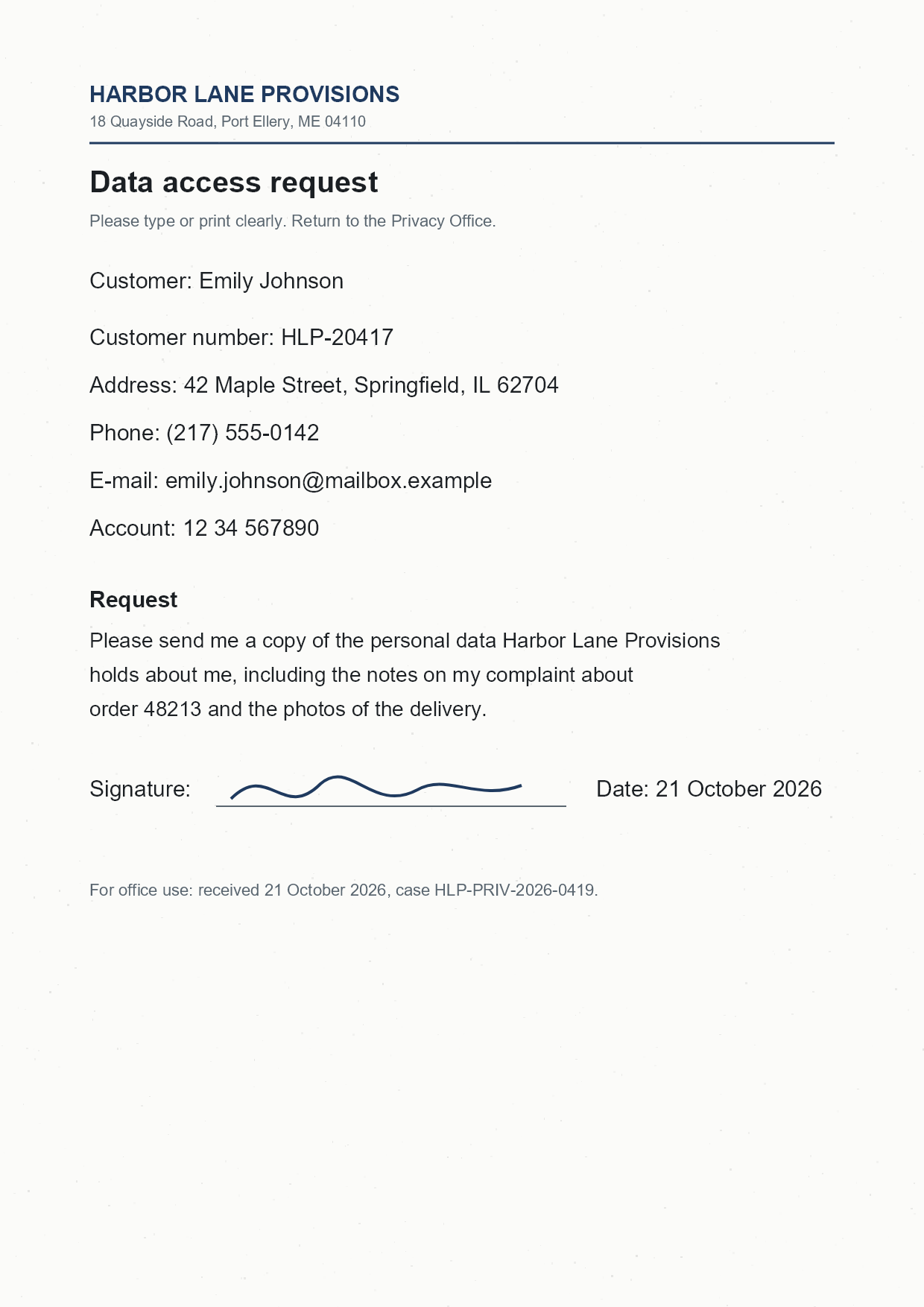
scan.png is the sample file used in this example. Click here to download it.
Binary file (PNG, 85 KB)
Each line is one fragment because GroupDocs.Redaction 26.10 covers a match inside a fragment and reports a match that spans two fragments as APPLIED without covering it. Inside a fragment, the box is placed by the match’s character position, so near the end of a long line it can fall a few pixels short: on a 683-pixel line of text, the box over the last two words stopped 10 pixels before the last letter. On this page’s sample, “Emily Johnson” in a 338-pixel line, the box covers the name. Check the output, or report shorter fragments, as long as each phrase you redact fits in one.
The same connector redacts the text of images embedded in a PDF or a Word document: open that document instead of the image.
Was this page helpful?
Any additional feedback you'd like to share with us?
Please tell us how we can improve this page.
Thank you for your feedback!
We value your opinion. Your feedback will help us improve our documentation.