Get document page preview Leave feedback
On this page
In GroupDocs.Redaction, Redactor class supports rendering of the document preview in on of these image formats:
- JPEG Image
- Portable Network Graphics
- Bitmap Image File
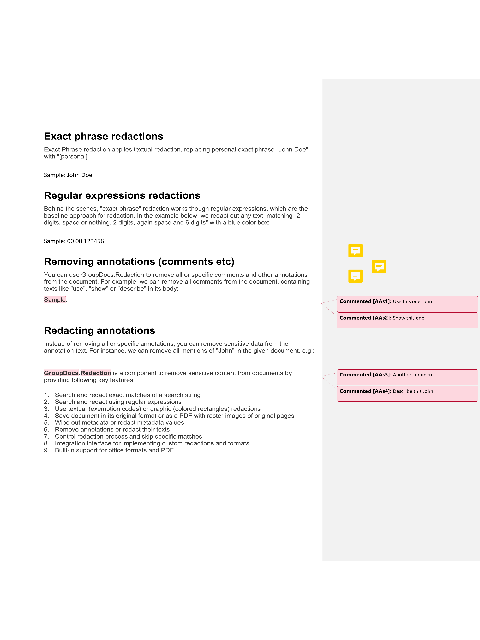
The following example demonstrates how to get a single page preview of the document. Preview streaming uses ICreatePageStream and PreviewOptions from the Java API, wrapped with java.newProxy:
const redaction = require('@groupdocs/groupdocs.redaction');
const java = require('java');

const FileOutputStream = java.import('java.io.FileOutputStream');

const testFile = 'sample.docx';
const testPageNumber = 1;
const previewFileName = `sample_page${testPageNumber}.png`;

const createPageStream = java.newProxy('com.groupdocs.redaction.options.ICreatePageStream', {
  createPageStream: function (_pageNumber) {
    return new FileOutputStream(previewFileName);
  }
});

const redactor = new redaction.Redactor(testFile);
try {
  const options = new redaction.PreviewOptions(createPageStream);
  options.setHeight(640);
  options.setWidth(480);
  options.setPageNumbers(java.newArray('int', [testPageNumber]));
  options.setPreviewFormat(redaction.PreviewFormats.Png);
  redactor.generatePreview(options);
  console.log(`Preview for page ${testPageNumber} was saved to "${previewFileName}"`);
} finally {
  redactor.close();
}
sample.docx is the sample file used in this example. Click here to download it.
Binary file (PNG, 23 KB)
Was this page helpful?
Any additional feedback you'd like to share with us?
Please tell us how we can improve this page.
Thank you for your feedback!
We value your opinion. Your feedback will help us improve our documentation.