` | Paragraph is surrounded by `
` tag |
| `` | Hyperlinks |
| `` | Text with Bold font is surrounded by `` tag |
| `` | Text with Italic font is surrounded by `` tag |
| `` | If the heading has 'Heading X' style, it's surrounded by `
` / `
` | Numbering and bullets lists |
| `
` | Tables |
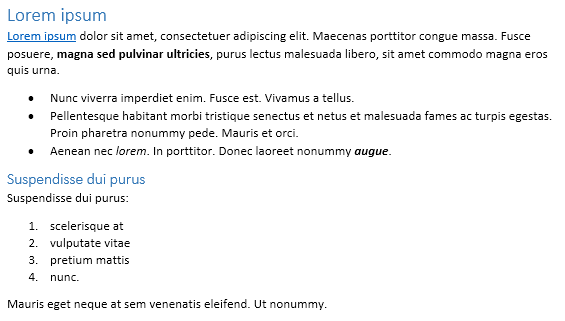
The following Microsoft Word document is used as input document:
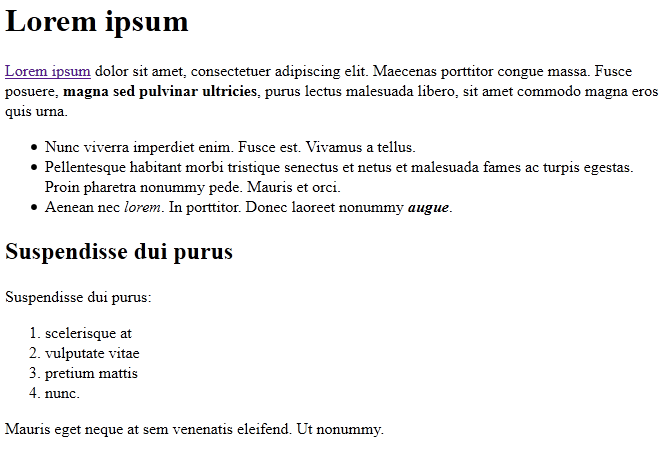
The following HTML document is extracted using the example above:
## More resources
### GitHub examples
You may easily run the code above and see the feature in action in our GitHub examples:
* [GroupDocs.Parser for .NET examples](https://github.com/groupdocs-parser/GroupDocs.Parser-for-.NET)
* [GroupDocs.Parser for Java examples](https://github.com/groupdocs-parser/GroupDocs.Parser-for-Java)
### Free online document parser App
Along with full featured .NET library we provide simple, but powerful free Apps.
You are welcome to parse documents and extract data from PDF, DOC, DOCX, PPT, PPTX, XLS, XLSX, Emails and more with our free online [Free Online Document Parser App](https://products.groupdocs.app/parser).