How to Merge Source Code Files Leave feedback
On this page
GroupDocs.Comparison can merge source code files by exposing each detected change as a ChangeInfo and letting you set comparison_action to ComparisonAction.ACCEPT (apply without highlighting) or ComparisonAction.REJECT (discard from the result).
- Instantiate
Comparerwith the source document path or stream. - Call
add()with the target document. - Call
compare()to run the comparison. - Call
get_changes()to retrieve the change collection. - Set
comparison_actionon each change toComparisonAction.ACCEPTorComparisonAction.REJECT. - Call
apply_changes()withApplyChangeOptions(changes=...)to produce the merged file.
You need to compare several versions of source code files and selectively accept or discard changes made by different authors.
Before comparison:
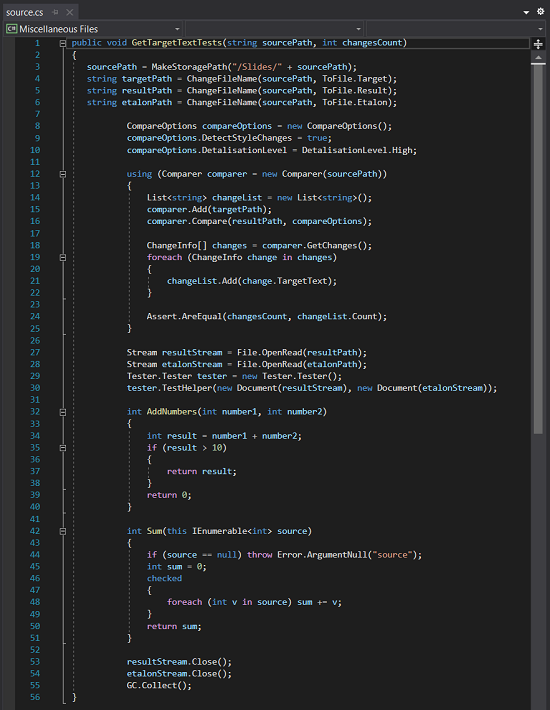
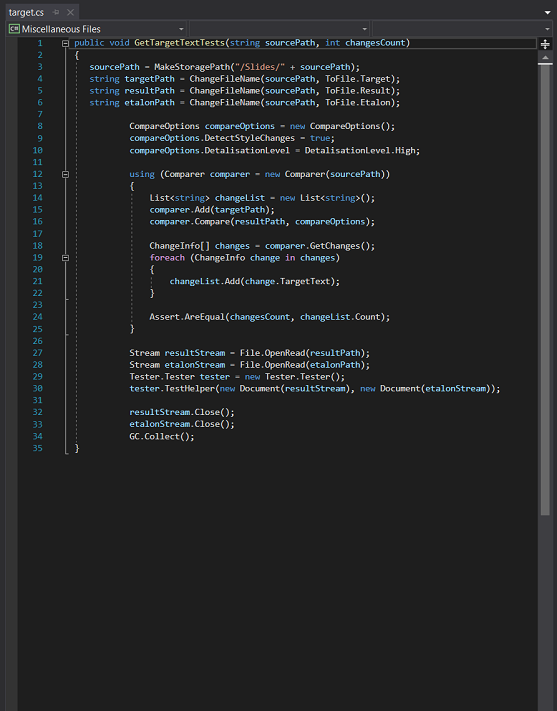
The differences show two methods in source.cs: AddNumbers and Sum. Without using comparison_action, all changes are auto-applied to the output and both methods are removed. With comparison_action you can choose which method survives.
from groupdocs.comparison import Comparer
from groupdocs.comparison.options import ApplyChangeOptions
from groupdocs.comparison.result import ComparisonAction

def merge_source_code_files():
    with Comparer("./source.cs") as comparer:
        comparer.add("./target.cs")
        comparer.compare("./result.cs")
        changes = comparer.get_changes()

        # Accept the first 10 changes; reject the rest
        for i, change in enumerate(changes):
            change.comparison_action = ComparisonAction.ACCEPT if i < 10 else ComparisonAction.REJECT

        with open("./result.cs", "wb") as result_file:
            comparer.apply_changes(result_file, ApplyChangeOptions(changes=changes))

if __name__ == "__main__":
    merge_source_code_files()
source.cs is the source file used in this example. Click here to download it.
target.cs is the target file used in this example. Click here to download it.
Binary file (CS, 121 bytes)
The merged file marks deleted elements in red, added elements in blue, and modified elements in green. An accompanying HTML file highlights every changed code region.
| Result source code file | Result HTML file |
|---|---|
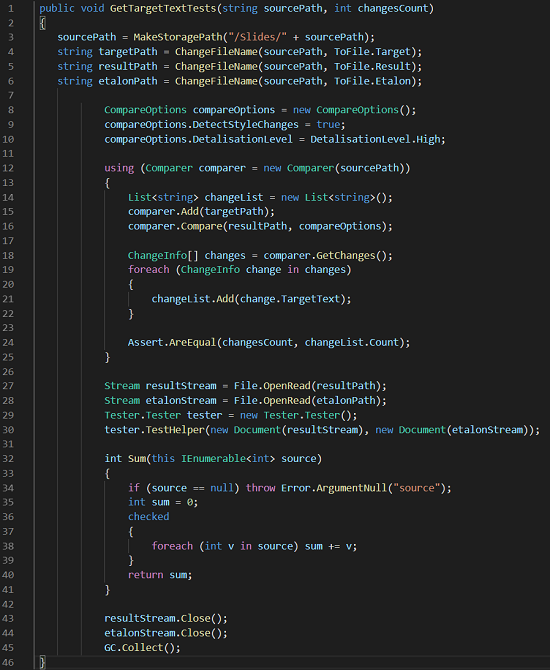 | 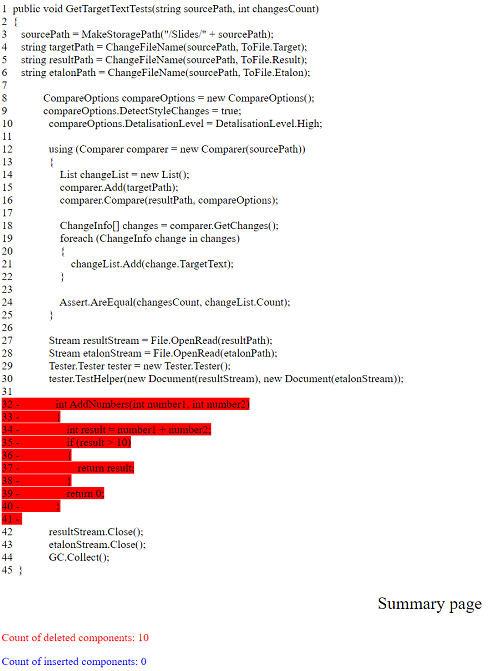 |
As shown, only one of the two methods was removed.
Was this page helpful?
Any additional feedback you'd like to share with us?
Please tell us how we can improve this page.
Thank you for your feedback!
We value your opinion. Your feedback will help us improve our documentation.


