Accept or Reject Detected Changes Leave feedback
On this page
GroupDocs.Comparison for Python via .NET lets you programmatically accept or reject individual changes before producing the final result. This enables reviewer-style workflows: get the change list, decide per change, then apply the accepted ones.
- Compare two documents using
Comparer.compare(). - Enumerate the changes via
comparer.get_changes(). - For each
ChangeInfo, setcomparison_actiontoComparisonAction.ACCEPTorComparisonAction.REJECT. - Call
comparer.apply_changes()withApplyChangeOptions(changes=...)to produce the merged result.
from groupdocs.comparison import Comparer
from groupdocs.comparison.options import ApplyChangeOptions
from groupdocs.comparison.result import ComparisonAction

def accept_or_reject_changes():
    with Comparer("./source.docx") as comparer:
        comparer.add("./target.docx")
        comparer.compare()
        changes = comparer.get_changes()

        # Reject the first change; accept everything else
        if changes:
            changes[0].comparison_action = ComparisonAction.REJECT

        comparer.apply_changes("./result.docx", ApplyChangeOptions(changes=changes))

if __name__ == "__main__":
    accept_or_reject_changes()
source.docx is the source file used in this example. Click here to download it.
target.docx is the target file used in this example. Click here to download it.
Binary file (DOCX, 25 KB)
The result is as follows:
| Accepted changes | Rejected changes |
|---|---|
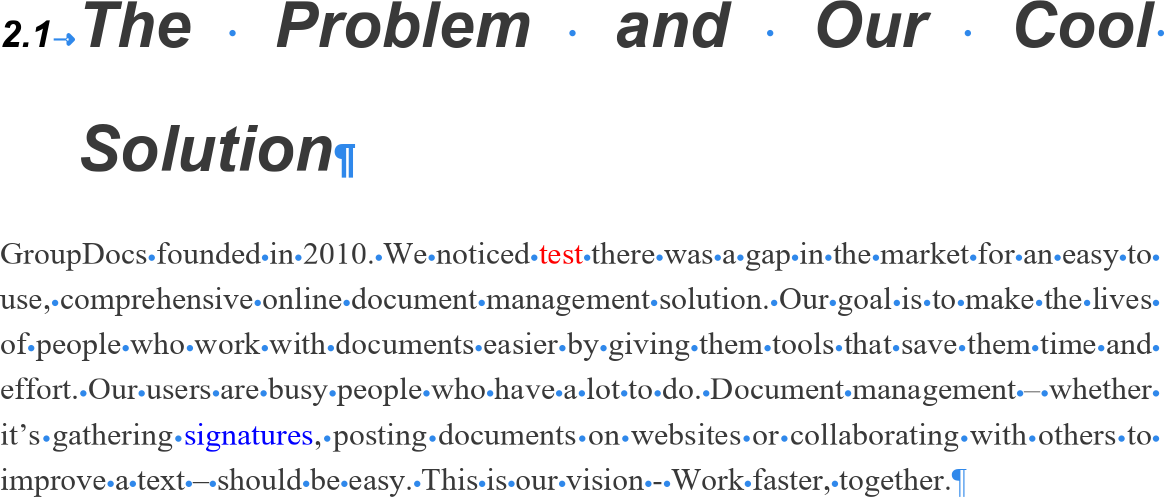 | 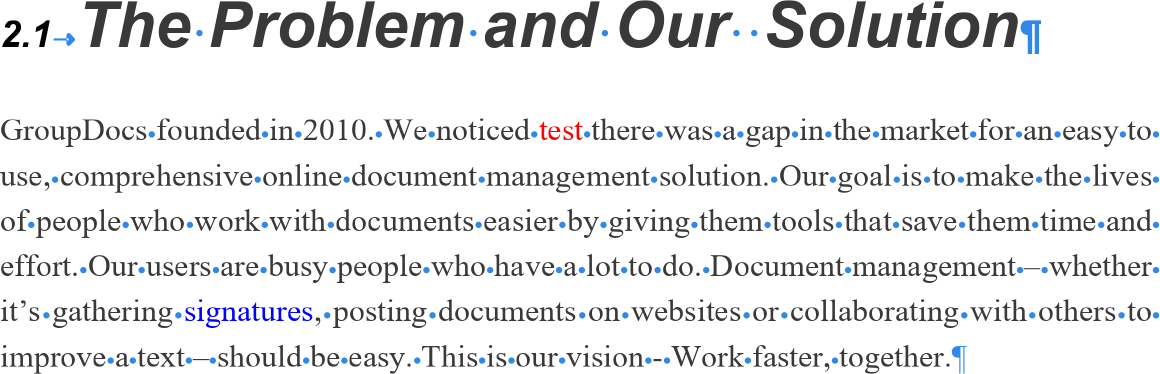 |
Same operation, but everything runs through streams — useful in services that don’t persist intermediate files.
from groupdocs.comparison import Comparer
from groupdocs.comparison.options import ApplyChangeOptions
from groupdocs.comparison.result import ComparisonAction

def accept_or_reject_changes_stream():
    with open("./source.docx", "rb") as source_stream, \
         open("./target.docx", "rb") as target_stream:
        with Comparer(source_stream) as comparer:
            comparer.add(target_stream)
            comparer.compare()
            changes = comparer.get_changes()
            if changes:
                changes[0].comparison_action = ComparisonAction.REJECT
            with open("./result.docx", "wb") as out_stream:
                comparer.apply_changes(out_stream, ApplyChangeOptions(changes=changes))

if __name__ == "__main__":
    accept_or_reject_changes_stream()
source.docx is the source file used in this example. Click here to download it.
target.docx is the target file used in this example. Click here to download it.
Binary file (DOCX, 25 KB)
- Accept or reject revisions — same accept/reject pattern, but applied to existing Word Track Changes revisions on a single document rather than to detected changes between two documents.
- How to merge source code files — applies the accept/reject pattern to source code merges.
- Get list of changes — read the change collection without applying any decisions.
Was this page helpful?
Any additional feedback you'd like to share with us?
Please tell us how we can improve this page.
Thank you for your feedback!
We value your opinion. Your feedback will help us improve our documentation.


