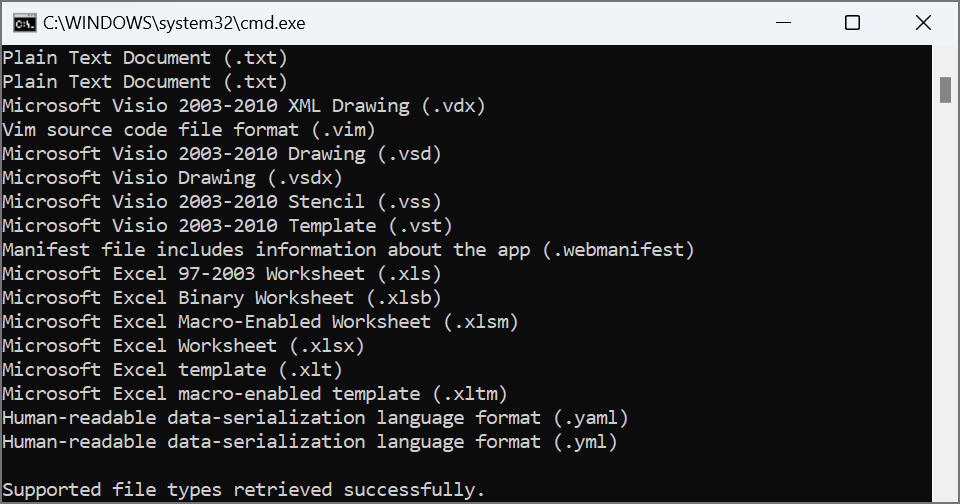
The following code snippet shows how to obtain a list of supported file formats and print them to the console.
'use strict';// Import the GroupDocs.Comparison for Node.js via Java SDK
constgroupdocs=require('@groupdocs/groupdocs.comparison');// Get a collection of all supported file types
constfileTypes=groupdocs.FileType.getSupportedFileTypes();// Iterate through the collection and print each supported format
letcount=0;while(fileTypes.size()>count){console.log(fileTypes.get(count).toString());count++;}// Exit the process when enumeration is complete
process.exit(0);
This example:
Calls getSupportedFileTypes on the FileType class to retrieve supported formats.
Iterates through the returned collection of FileType objects and writes their string representations to the console.
The result is as follows:
Was this page helpful?
Any additional feedback you'd like to share with us?
Please tell us how we can improve this page.
Thank you for your feedback!
We value your opinion. Your feedback will help us improve our documentation.
On this page
Ask AI
Ask anything about this page — the answer is based on its content.
Searching the docs and writing an answer…
Something went wrong while getting an answer. Please try again in a moment.