# Compare documents
This article demonstrates how to compare Word, Excel, PowerPoint, Outlook, OneNote, PDF, Image, HTML, AutoCAD, Visio, OpenDocument, OneNote documents using GroupDocs.Comparison for Node.js via Java.
Change detection algorithms of [GroupDocs.Comparison](https://products.groupdocs.com/comparison/nodejs-java) allow you to detect changes in different document parts and blocks:
* Text blocks - paragraphs, words and characters
* Tables
* Images
* Shapes etc.
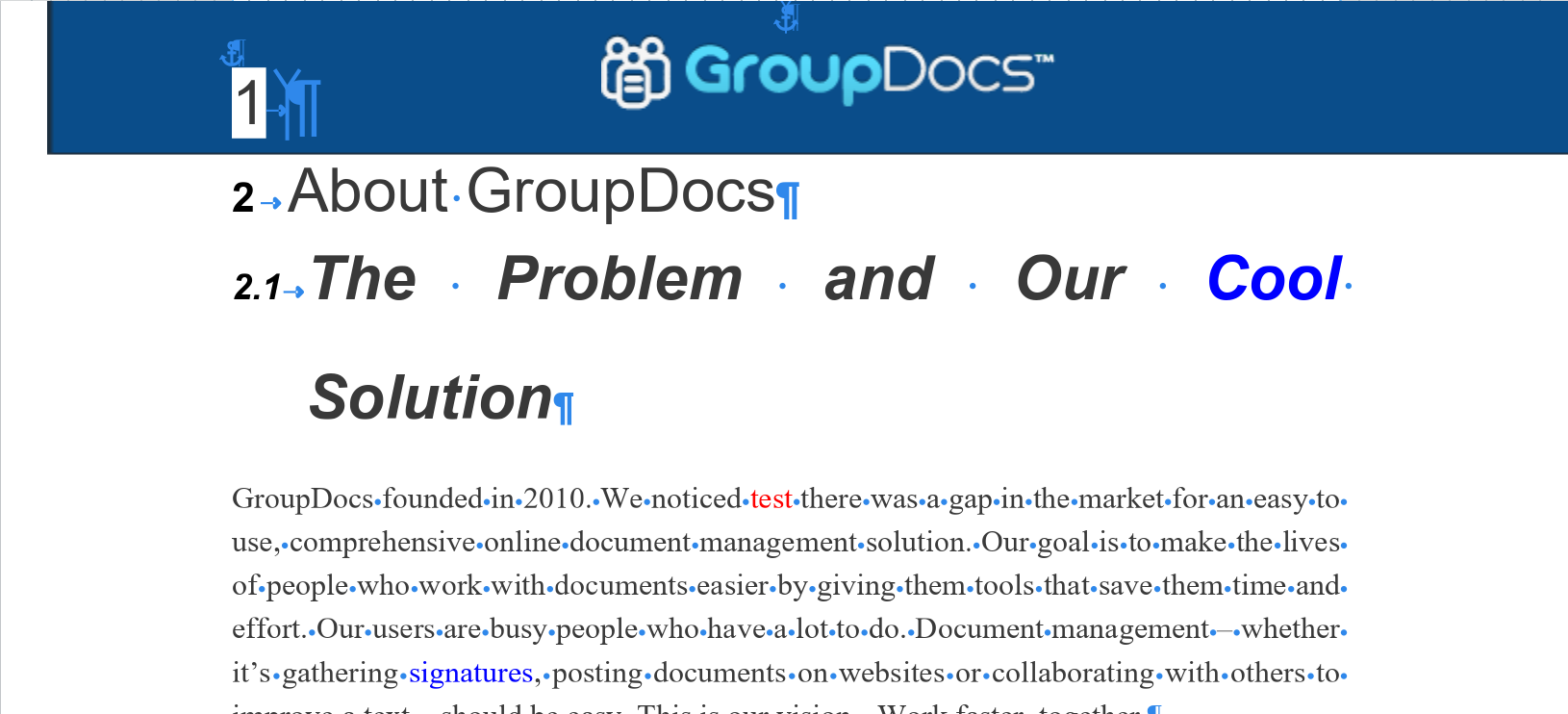
GroupDocs.Comparison highlights detected changes with different colors:
* Added – **blue**
* Modified – **green**
* Style – **green**
* Deleted – **red**
You can customize the changes styling scheme using different formatting - italic, bold, underlined, strike-through, etc.
The following code snippets show how to compare two documents:
## Compare local documents
The following example compares two local documents from the file system and saves a new document that highlights all differences.
```javascript
'use strict';
// Import the GroupDocs.Comparison for Node.js via Java SDK
const groupdocs = require('@groupdocs/groupdocs.comparison');
// Define paths to the source (original) and target (modified) documents
const sourcePath = 'sample-files/source.docx';
const targetPath = 'sample-files/target.docx';
// Specify the path of the result document that will contain the comparison output
const resultPath = 'result.docx';
// Create a Comparer instance for the source document
const comparer = new groupdocs.Comparer(sourcePath);
// Add the target document to be compared against the source
comparer.add(targetPath);
// Run the comparison and save the result document
comparer.compare(resultPath);
// Exit the process after the comparison is finished
process.exit(0);
```
This example performs the following operations:
1. Instantiates the `Comparer` object with the source document path or stream.
2. Calls the `add()` method to specify the target document path or stream.
3. Invokes the `compare()` method to generate the result document.
The output file is as follows:
## Compare documents from a stream
The following example loads documents from Java input streams instead of file paths and then compares them.
```javascript
'use strict';
// Import the GroupDocs.Comparison for Node.js via Java SDK
const groupdocs = require('@groupdocs/groupdocs.comparison');
// Import the Java bridge so we can work with Java input streams
const java = require('java');
// Get a reference to the Java FileInputStream class
let InputStream = java.import('java.io.FileInputStream');
// Define paths to the source and target PDF documents
const sourcePdfPath = 'sample-files/source.pdf';
const targetPdfPath = 'sample-files/target.pdf';
// Define the path for the result DOCX file
const resultDocxPath = 'result.docx';
// Create a Comparer instance using a Java input stream for the source file
const comparer = new groupdocs.Comparer(new InputStream(sourcePdfPath));
// Add the target document as a Java input stream
comparer.add(new InputStream(targetPdfPath));
// Perform the comparison and save the result document
comparer.compare(resultDocxPath);
// Exit the process after the comparison is finished
process.exit(0);
```
In this stream-based scenario:
1. The `Comparer` is initialized with a Java input stream for the source document.
2. The `add()` method is used to provide the target document as an input stream.
3. The `compare()` method runs the comparison and writes the output to the specified result file.