# Compare documents
Compare two documents in C# with GroupDocs.Comparison for .NET. Covers the basic Comparer workflow, file and stream inputs, default highlight colours, and the CompareOptions class for customizing the result.
[GroupDocs.Comparison](https://products.groupdocs.com/comparison/net) detects changes in text (paragraphs, words, characters), tables, images, and shapes across a wide range of formats — Word, PDF, Excel, PowerPoint, HTML, AutoCAD, Visio, Outlook, OpenDocument, images, and more. The full list is available on the [Supported document formats]({{< ref "/comparison/net/getting-started/supported-document-formats.md" >}}) page.
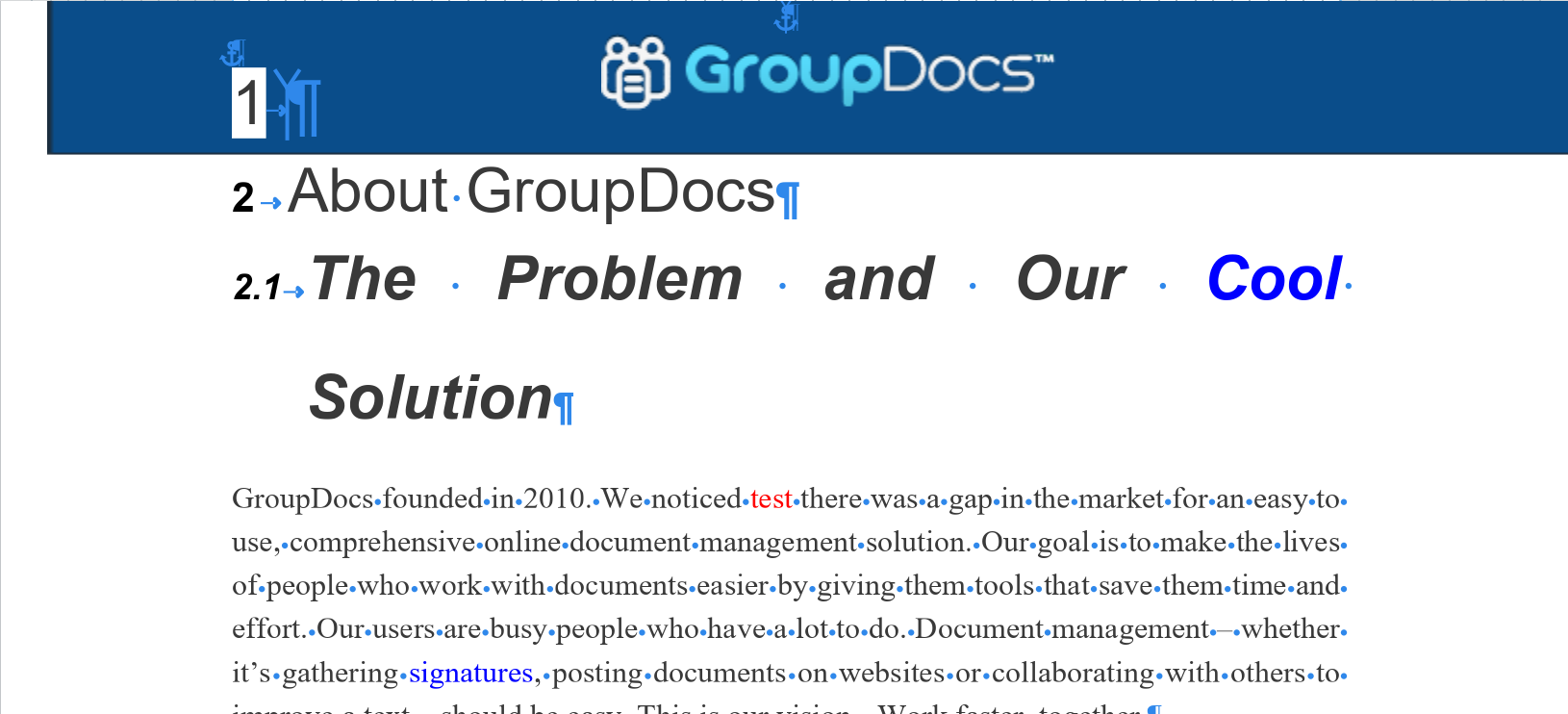
By default, GroupDocs.Comparison highlights detected changes with the following colours:
* Inserted – **blue**
* Deleted – **red**
* Style changed – **green**
These are the defaults — you can override colours, fonts, and other styling via the `InsertedItemStyle`, `DeletedItemStyle`, and `ChangedItemStyle` properties. See [Customize changes styles]({{< ref "/comparison/net/advanced-usage/comparison/customize-changes-styles.md" >}}) for details.
## Basic comparison workflow
To compare two documents, follow these steps:
1. Instantiate the [Comparer](https://reference.groupdocs.com/comparison/net/groupdocs.comparison/comparer) object with the source document path or stream.
2. Call the [Add](https://reference.groupdocs.com/comparison/net/groupdocs.comparison/comparer/methods/add/index) method and specify the target document path or stream.
3. Call the [Compare](https://reference.groupdocs.com/comparison/net/groupdocs.comparison/comparer/methods/compare/index) method.
### Compare local documents
{{< tabs "example1">}}
{{< tab "C#" >}}
```csharp
using GroupDocs.Comparison;
// ...
using (Comparer comparer = new Comparer("source.docx"))
{
comparer.Add("target.docx");
comparer.Compare("result.docx");
}
```
{{< /tab >}}
{{< /tabs >}}
The output file is as follows:
### Compare documents from stream
{{< tabs "example2">}}
{{< tab "C#" >}}
```csharp
using GroupDocs.Comparison;
using System.IO;
// ...
using (Comparer comparer = new Comparer(File.OpenRead("source.docx")))
{
comparer.Add(File.OpenRead("target.docx"));
comparer.Compare(File.Create("result.docx"));
}
```
{{< /tab >}}
{{< /tabs >}}
## Customize comparison with options
To control how the comparison is performed and how the result is rendered, pass a [CompareOptions](https://reference.groupdocs.com/comparison/net/groupdocs.comparison.options/compareoptions) object to the `Compare` method. These options work with any supported document format:
{{< tabs "example-options">}}
{{< tab "C#" >}}
```csharp
using GroupDocs.Comparison;
using GroupDocs.Comparison.Options;
// ...
using (Comparer comparer = new Comparer("source.docx"))
{
comparer.Add("target.docx");
CompareOptions options = new CompareOptions
{
DetectStyleChanges = true,
GenerateSummaryPage = true,
ShowDeletedContent = true,
ShowInsertedContent = true
};
comparer.Compare("result.docx", options);
}
```
{{< /tab >}}
{{< /tabs >}}
For format-specific behaviour, GroupDocs.Comparison provides dedicated subclasses of `CompareOptions`:
- [WordCompareOptions](https://reference.groupdocs.com/comparison/net/groupdocs.comparison.options/wordcompareoptions/) — Word-specific settings such as `DisplayMode` (Revisions / Highlight), header/footer comparison, and bookmark comparison. See [Word document comparison options]({{< ref "/comparison/net/advanced-usage/comparison/word-compare-options.md" >}}).
- [PdfCompareOptions](https://reference.groupdocs.com/comparison/net/groupdocs.comparison.options/pdfcompareoptions/) — PDF-specific settings such as `DisplayMode` (Inline / SideBySide / Interleaved), page-range filtering, and PDF annotation author name.
Using a format-specific subclass is recommended when comparing a known document type — it makes Word-only or PDF-only settings discoverable and prevents you from passing irrelevant options.
## Configure loading with LoadOptions
While `CompareOptions` controls how documents are compared, [LoadOptions](https://reference.groupdocs.com/comparison/net/groupdocs.comparison.options/loadoptions/) controls how the source and target files are loaded into the `Comparer`. It is passed to the `Comparer` constructor and to `Add`, before any comparison runs.
{{< tabs "example-loadoptions">}}
{{< tab "C#" >}}
```csharp
using GroupDocs.Comparison;
using GroupDocs.Comparison.Options;
// ...
LoadOptions loadOptions = new LoadOptions
{
FileType = FileType.DOCX
};
using (Comparer comparer = new Comparer("source.docx", loadOptions))
{
comparer.Add("target.docx", loadOptions);
comparer.Compare("result.docx");
}
```
{{< /tab >}}
{{< /tabs >}}
Common `LoadOptions` properties:
- `Password` — open a password-protected source or target document. See [Load password-protected documents]({{< ref "/comparison/net/advanced-usage/loading/load-password-protected-documents.md" >}}).
- `FileType` — specify the document format explicitly and skip auto-detection (faster for large files). See [Specify file type for comparison manually]({{< ref "/comparison/net/advanced-usage/loading/specify-file-type-manually.md" >}}).
- `FontDirectories` — provide custom font directories used while rendering the result. See [Load custom fonts]({{< ref "/comparison/net/advanced-usage/loading/load-custom-fonts.md" >}}).
## Next steps
Once the basic comparison works, common follow-up tasks include:
- [Customize changes styles]({{< ref "/comparison/net/advanced-usage/comparison/customize-changes-styles.md" >}}) — change highlight colours, fonts, and formatting.
- [Adjusting comparison sensitivity]({{< ref "/comparison/net/advanced-usage/comparison/adjusting-comparison-sensitivity.md" >}}) — tune how granular the comparison should be.
- [Get list of changes]({{< ref "/comparison/net/advanced-usage/comparison/get-list-of-changes.md" >}}) — retrieve detected differences as a structured collection.
- [Accept or reject detected changes]({{< ref "/comparison/net/advanced-usage/comparison/accept-or-reject-detected-changes.md" >}}) — apply changes selectively.
- [Compare multiple documents]({{< ref "/comparison/net/advanced-usage/comparison/compare-multiple-documents/_index.md" >}}) — compare more than two files in a single pass.
- [Load password-protected documents]({{< ref "/comparison/net/advanced-usage/loading/load-password-protected-documents.md" >}}) — provide passwords for protected source or target files.